
Features
Everything that happens between check-in and evidence
visitvia covers a visit's full path — from the invitation, through the signed briefing, to the moment someone asks for evidence. Everything on this page is built and can be tried in the free trial.
How a visit goes
Two minutes at the terminal, five stages behind the scenes
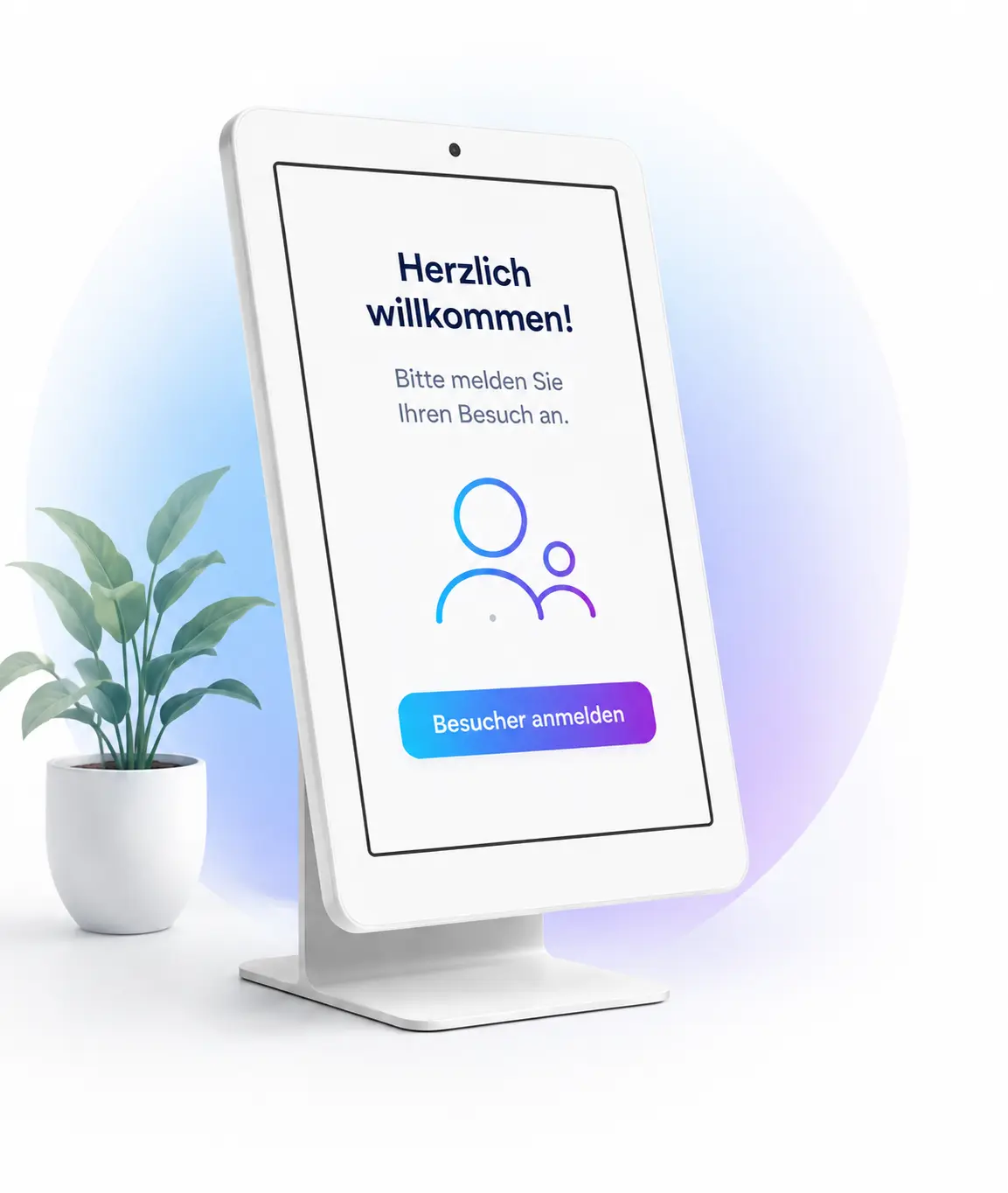
What the visitor experiences is a short flow on the tablet. What you keep from it is a complete, unbroken record.
- Step 1
Invited
The host invites their visitor in two clicks. Anyone who likes fills in their details in advance on their own phone and gets a check-in code.
- Step 2
Checked in
At the terminal in reception: enter the code or register fresh. No app, no account, no waiting at the desk.
- Step 3
Briefed
Occupational safety, restricted zones, confidentiality — read and signed with a finger. Every signature becomes a signed PDF.
- Step 4
Collected
The host is notified automatically, by email or in Microsoft Teams. No searching, no ringing around.
- Step 5
Checked out
The visitor checks out at the terminal, or the host does it via a link. Anyone still listed as present in the evening triggers a reminder.
Evacuation module
In every packageWhen the alarm sounds, visitvia shows at a glance who is on the premises — the live presence list becomes the assembly-point list. No searching the ring binder, no counting by hand.
At reception
The visitor checks themselves in
One tablet at the desk is enough. The flow is so short no one needs it explained.
Check-in terminal in the browser
Runs on any tablet, no app store and no account. The terminal can be added to the home screen and then starts like an app — even with a briefly interrupted connection.
Fill in ahead, just confirm on site
The visitor gets a link and enters their details on their own device. At the terminal they only enter their check-in code — cutting the time at the desk to seconds.
In your company's look
Your logo and welcome text on the terminal. The visitor is at your company, not ours — so no foreign brand appears there.
Check-out, even if someone forgets
The visitor checks out at the terminal, or the host does it via a link from their email. Anyone still listed as present in the evening triggers a reminder — keeping the presence list reliable.
Try the flow on your own tablet.
Briefings
Signed, versioned, filed
The core of the evidence: who signed which version of which document, and when.
Signed with a finger
Occupational safety, security zones, confidentiality — the visitor reads at the terminal and signs directly on it. An empty field or a single stroke is rejected instead of being quietly saved.
A signed PDF per visit
Document and signature become a PDF with a cryptographic signature. A later change to this file is detectable — making it usable as evidence, not just a copy.
Versions instead of overwriting
Change a briefing and a new version is created. Old signatures stay linked to the version that applied then — exactly what an auditor asks when a visit is a year ago.
Your documents, your areas
You upload your own PDF documents and set which company area requires which. Someone who only enters administration doesn't sign the production briefing too — and reads the one that concerns them. No text builder you'd first have to run past your legal department.
Upload your own briefing and see the result.
Inside the company
Hosts, employees, roles
So reception no longer has to search for anyone — and no one sees more than they should.
The host knows at once
Notification by email, optionally in Microsoft Teams too. If it goes unanswered, an escalation to a second address can be set up.
Employee list without upkeep
Import as a file or automatic sync with your Entra groups from Microsoft 365. Whoever leaves the company also disappears from the host selection.
Roles with clear limits
Four roles: administrator, reception, employee and audit — the last sees everything including the log but may change nothing and export nothing. Particularly consequential steps can be placed under the four-eyes principle.
Sign-in with a second factor
Mandatory for every admin account, not optional. Plus recovery codes in case a phone is lost — with a way back to a new device.
Create accounts for your colleagues in the demo area.
Evidence and retention
What stays and what disappears
Visitor management has to do both: prove without gaps and forget on time.
A log that can't be changed
Every action is recorded and chained to the checksum of the previous one. The application itself has no right to change or delete entries; an intervention bypassing the database breaks the chain visibly.
Retention that runs by itself
You set when visitor data is pseudonymised, anonymised and deleted. An hourly run carries it out — including the files in document storage, not just database rows.
A hold for ongoing cases
Where an incident needs clearing up, a hold keeps the affected data and takes it out of the retention run — with a reason, so it stays traceable later why something is still there.
Export for the assessor
The visitor list and log can be exported and presented to an assessor — including whether the chain was intact at the time of export.
Look at the log and retention periods before your assessor does.
Operations
What happens behind the scenes
The part no one buys and everyone needs.
A dedicated database per customer
No shared table with a customer column. If a customer's database is missing, the application refuses service instead of falling back to a shared one.
Daily backup, checked daily
Database and documents are backed up daily and kept for 30 days. Every day the most recent backup is automatically checked for completeness and integrity — an unchecked backup is none.
Updates in an announced window
A new version comes in a maintenance window announced in advance. It starts with a backup and only reopens once everything has run through.
Cancellation means: everything gone
After retention ends, your area disappears completely — database, documents, log. That this actually happens is verified by a dedicated test run, not by a checkbox.
Read enough? Set up your own workspace.
Free, no credit-card details, set up in a few minutes.
What changes
Four people in the company notice the difference
Visitor management is rarely bought for reception — but for the day something happens. It still has to be useful to everyone.
Information security
You can evidence every control at reception yourself.
Access, briefing, confidentiality, logging — for every single visit, with timestamp and document version. You do not have to ask anyone in the company or gather anything together.
Reception
The front desk becomes a welcome again.
Your colleague at reception looks after the guest instead of making calls: no ringing around until someone answers, no filling out badges, no pile of slips in the evening. The visitor checks in themselves; the notification runs in the background.
Data protection
Retention periods run without anyone thinking about them.
Visitor data disappears on your schedule by itself — first the names are anonymised, in the end everything is gone. If something is needed for an ongoing investigation, you hold it back with one click.
Management
The first impression is right, and so is the last.
Your logo and welcome message on the terminal, a flow that is done in two minutes — and evidence that is not up for debate in an assessment.
Microsoft 365 and Teams
No second system for anyone to maintain
visitvia hooks into what you already run: the host list comes from your Entra groups, the notification lands in Teams, and the mail to your visitors goes out through your own mailbox — with your sender address and your signature.
Employees from Entra groups
Whoever joins appears in the host list the next day. Whoever leaves drops out of it — without anyone maintaining a list.
Notification in Teams
“Your visitor is waiting at reception” appears where your people are already looking — instead of the front desk ringing around until someone picks up.
Sending from your own mailbox
Invitations and check-in codes go out from your domain, not a stranger's. That lifts deliverability and doesn't look to the visitor like mail from a third party.
And it works without it, too
No Microsoft in your company? Then you keep the employee list yourself or import it as a file, and the notification runs by email. Nothing about visitvia requires Microsoft.
Chat · visitvia · just now
Your visitor has arrived
- Visitor
- Andrea Kern, Kern Messtechnik GmbH
- Checked in
- today, 09:42 · North Plant reception
- Briefings
- Occupational safety, confidentiality — signed
The same message can go by email instead — and if no one responds, to a second address of your choice.
How it could go for you — an example
The afternoon something happens on the shop floor
Melanie Petrik runs reception at a manufacturing company with three sites. She is invented — the afternoon she goes through here, in many companies, is not. Here's how visitvia changes the hour that counts.
Before — the ring binder
- Someone is injured on the line. An outside firm was working on the machine — who of them was even there today, the ring binder knows only roughly.
- The employers' liability insurer asks: who was in the area, and had the contractor been briefed? Melanie leafs through and hopes the sheet is complete.
- By the time presence has been pieced together, half the shift is gone — and the list still isn't reliable.
Today — with visitvia
- Everyone who enters the site checks themselves in on the tablet and signs the briefing with a finger.
- If the insurer asks about the area and the time, Melanie filters to the moment — and sees who was there.
- For every name, the signed instruction sits in the right version. The evidence is there before the question is finished.
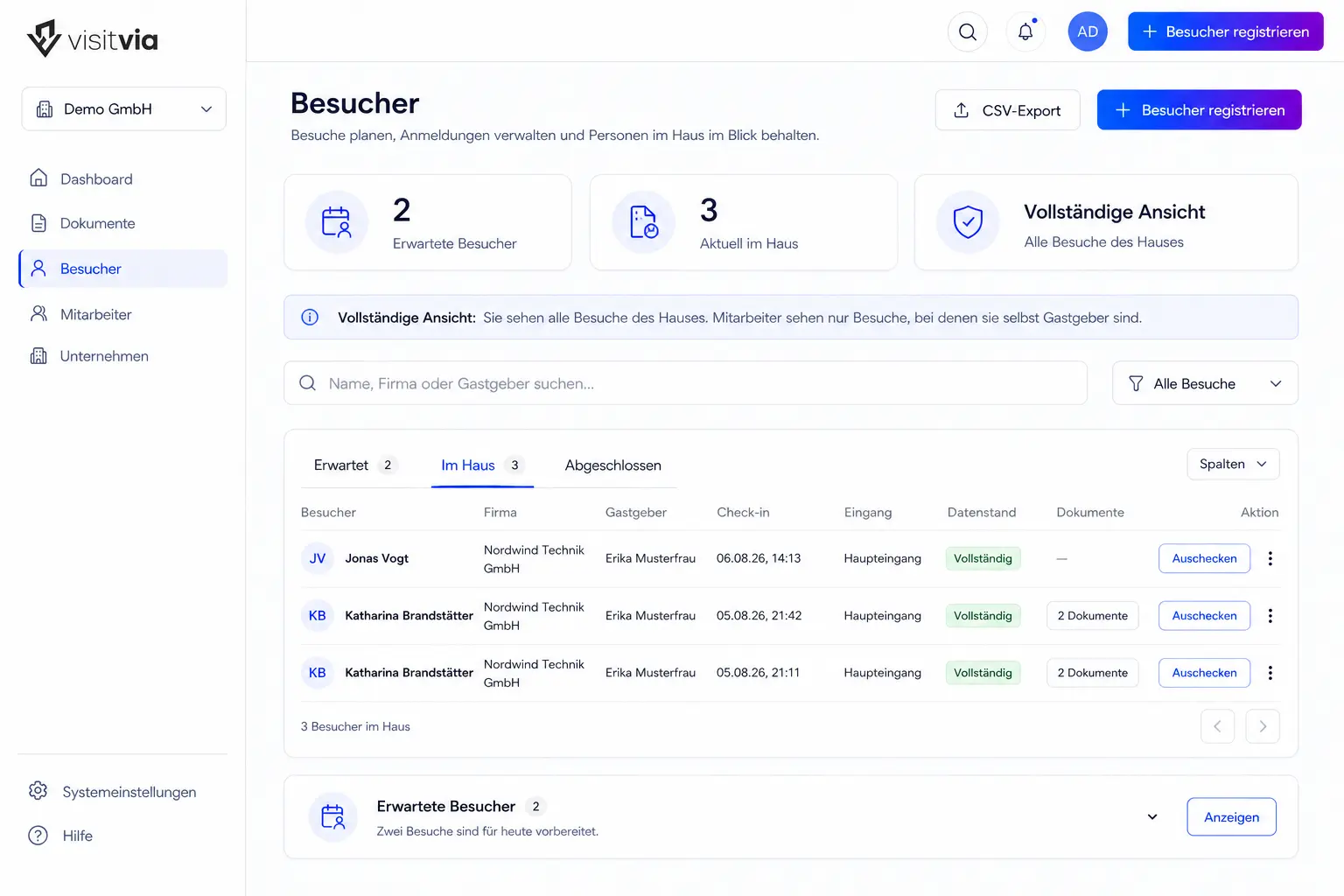
The difference isn't the software. It's the hour something happens — and Melanie still has an answer to every question.
Two things visitvia deliberately doesn't do
No data out of the country
No intermediate storage in a foreign cloud, no analysis of your visitor data for other purposes, no passing to third parties for advertising.
No biometric recognition
No face matching, no fingerprint. For registering a visitor both are unnecessary — and it would be the kind of data you can't get rid of again.