
Host has been notified
Andrea Kern is waiting at reception · 09:42
Built with data-protection officers and auditors
Do you know who's a guest in your building today?
Visitors check themselves in on the tablet, sign your briefings, and appear at once on a list that's actually correct. Every step is recorded — and no one can change it after the fact. So you have an answer when it matters, and proof at your next assessment.
30-day money-back guarantee – for your first visitvia subscription · no setup fees
- Data centre in the EU
- A dedicated database per customer
- Runs in the browser, no app
Host has been notified
Andrea Kern is waiting at reception · 09:42
Built with data-protection officers and auditors
Do you know who's a guest in your building today?
Visitors check themselves in on the tablet, sign your briefings, and appear at once on a list that's actually correct. Every step is recorded — and no one can change it after the fact. So you have an answer when it matters, and proof at your next assessment.
30-day money-back guarantee – for your first visitvia subscription · no setup fees
- Data centre in the EU
- A dedicated database per customer
- Runs in the browser, no app
The first impression
A reception as assured as the company behind it
Before it's about evidence, it's about how reception feels: visitors who feel expected, and a team that stays on top of things at all times.
Visitors feel expected
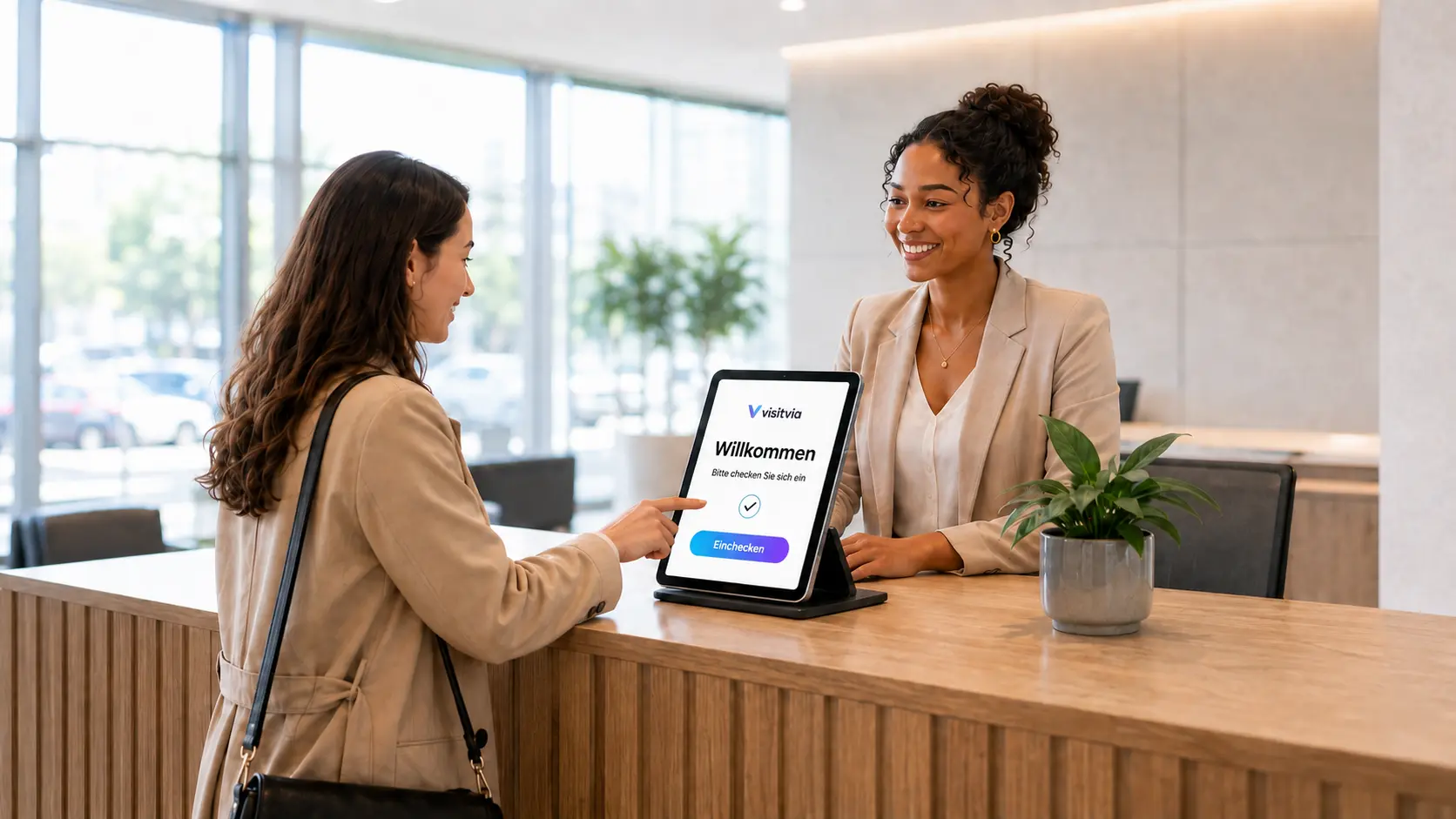
They check in on the tablet in minutes, are greeted by name — and the host knows before they've even taken a seat.
Your team stays in control
No paper, no searching: who's on site is on a list that's actually correct — available anytime.
Your image is right from the first moment
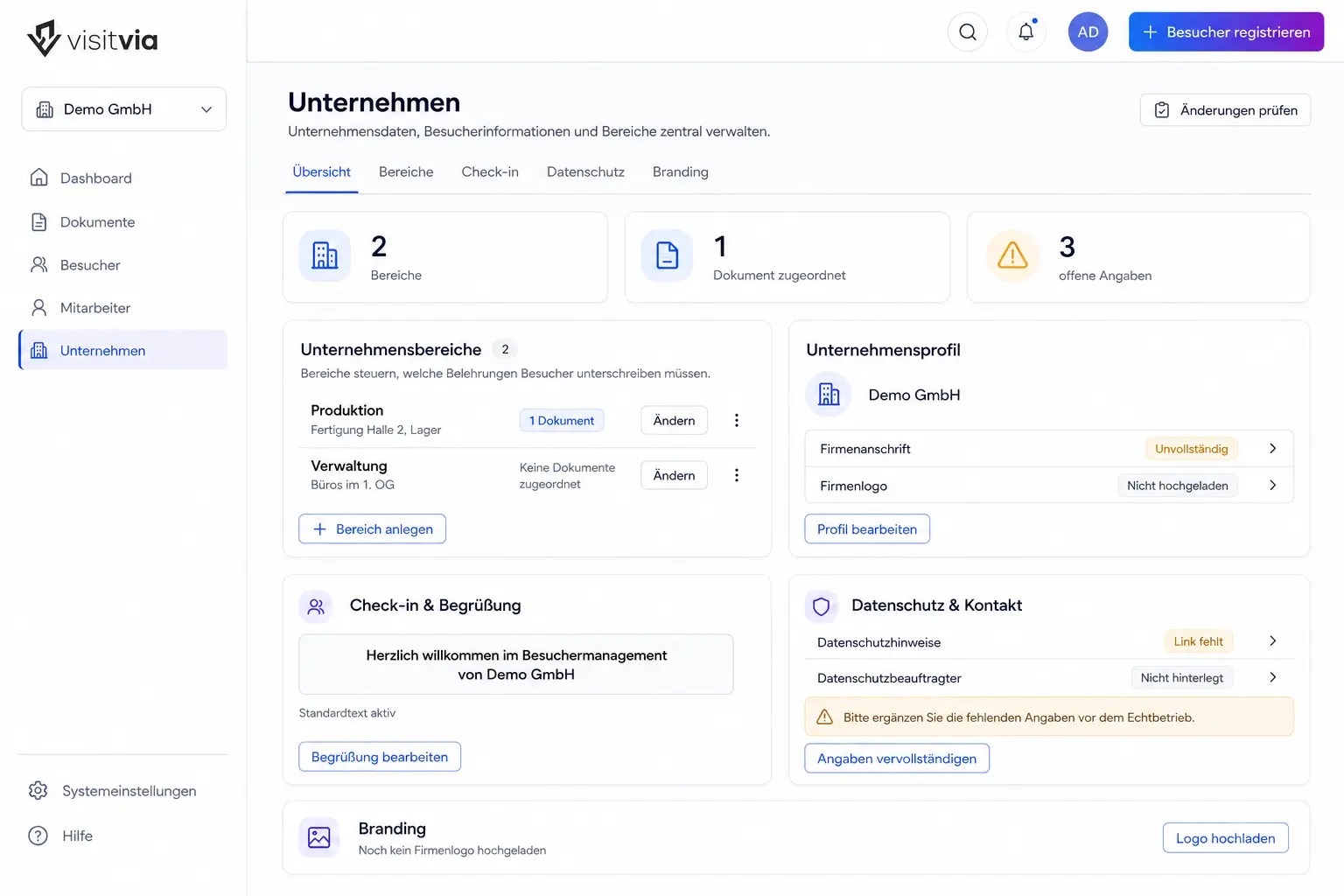
Your own logo, your own welcome, a calm flow at the desk — reception looks as professional as what stands behind it.
When it counts
An accident happens in production. Who was in the area — and had they been briefed?
That's exactly what the employers' liability insurer asks. And it isn't the only one: when the alarm sounds, someone counts heads at the assembly point; in a food plant the auditor checks visitors; on a construction site the authority wants to know who was on the grounds. The occasion differs by industry — the question is the same everywhere. On paper the answer is: roughly.
- Workplace accident
- Evacuation
- Food audit
- Construction site
visitvia turns that into evidence: who was there, when and with which host — with the signed briefing, in the right version, attached.
And in an emergency: The evacuation module shows at a glance who is on the premises right now — the live presence list becomes the assembly-point list at once. Included in every package.
Not for the auditor. For you.
Situations where paper visitor management has no answer
The honest answer to who's in the company right now is, almost everywhere: roughly. The real test is only the day it shows — the others you face in everyday work.
The alarm goes off
The hall is being cleared, everyone is counted at the assembly point. Who is in the company sits in a book at reception — inside the building no one is allowed to enter right now.
With visitvia: The presence list is on every phone in seconds, with name, host and arrival time. Anyone still listed as present in the evening triggers a reminder — so the list is right when it counts.
The contractor was never briefed
An outside firm is working on the line. Whether the colleague who turned up today ever received an instruction, no one can say for sure.
With visitvia: No signed briefing, no completed check-in. The signature becomes a signed PDF, and the log records which version of the document applied.
On Monday a sample is missing
Something is gone — a sample, a tool, a laptop. The question is: who was on site last Friday between 2 and 5 p.m.?
With visitvia: The answer sits in a list you can search by date and time — with arrival, check-out and host. And no one can quietly straighten anything out afterwards.
None of these situations stands out day to day. They stand out on the one day they occur.
Does at least one of these situations sound familiar?
Then take a calm look at what your reception could look like instead.
The way out
From binder to evidence in three steps
No project, no training, no change to how you operate. What you do at reception today, the app does tomorrow — and records it as it goes.
Set up
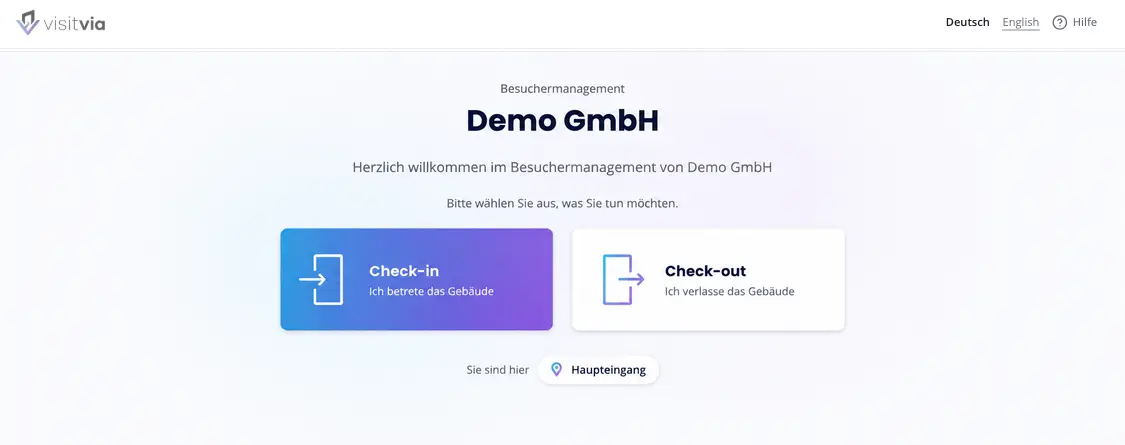
Upload your briefings as PDF, add or import employees, set your logo and welcome message. Your workspace is ready before you check anyone in for the first time.
Let them check in
One tablet at reception — that's all the hardware it takes. Visitors check themselves in, on site or in advance via an invitation link.
Provide evidence
Every visit, every signature, every document version is in the log. You export it whenever someone asks.
Why it holds when it matters
Four things you can rely on
Built together with data-protection officers and assessors. Every one of these points can be verified — it isn't just in the brochure, it's built so it can't be bypassed.
A log no one can change
Each entry is firmly linked to the one before it. If one is changed or removed afterwards, it shows immediately. No one can get around it — not your administrators, and not us either.
A dedicated database per customer
Your data does not sit together with other customers' but in its own store. If it is missing, the system will not carry on at all — instead of putting your data somewhere else as a fallback.
Retention with an expiry date
You decide how long visitor data stays. After that it is automatically anonymised and finally deleted — along with all the files attached. If something is needed for an ongoing investigation, it can be exempted on purpose.
Operated in the EU
Servers in a data centre in the EU, in Lauterbourg (France). Backed up and checked daily — database and documents, kept for 30 days.
Pricing
Per site, not per visitor
A price that moves with the number of your visitors punishes exactly what you're trying to achieve: that everyone is recorded. So you pay per reception — predictable, calculable in advance.
Standard
For sites that want to digitise their reception
29 € / site / month
Check-in goes digital, the briefing gets signed, and the log builds itself.
Recommended
Professional
For certified sites with an obligation to provide evidence
49 € / site / month
Everything in Standard — plus the parts an assessment asks about.
Enterprise
For several sites under one contract
On request
When several sites, several assessment scopes and a procurement department are involved.
plus VAT at the statutory rate. This product is intended exclusively for business customers.
30-day money-back guarantee – for your first visitvia subscription
Try visitvia risk-free.
You've taken out your first visitvia subscription and change your mind within 30 days? A short message to our support team is enough — we'll cancel your subscription and refund the amount you paid.
- No explanation required.
- No complicated process.
Try it yourself
Your own trial workspace, in minutes
No sales call as the price of entry, no shared demo login full of strangers' data. You enter your business email address, and we set you up a workspace of your own — with sample data you can click through, and the option to add your own briefings.
- Free — no credit-card details, no payment data, no paid contract
- Your own workspace with its own database, not a shared demo login
- Sample data to try out; you can upload your own documents
- Ends after 30 days; at most 30 days later everything is deleted without residue — database and files
How signing up works
- 1
Fill in the form
Company, your name, business email address. That's all we need.
- 2
Confirm your email
You get a link. This makes sure no one requests access in your name.
- 3
Your workspace is created
In the background your own environment with its own database is built. You get a message as soon as it's ready.
- 4
Sign in and explore
You set your password, set up two-factor sign-in, and you're in.
Frequently asked questions
What people ask first
Is visitvia TISAX®-certified?
No — and no software can be. TISAX® assesses sites and organisations against the VDA ISA catalogue, not individual products. A vendor who shows you a “TISAX® seal” for their app is selling you something that does not exist.
What visitvia delivers is the evidence for the measures that concern your reception: who was on site and when, which briefing they signed in which version, and that no one changed it afterwards. In the end it is you who gets assessed — we make sure you have nothing to search for at this point.
What does the trial cost, and what happens afterwards?
The trial is free and ends by itself. We collect no credit-card details and no payment data, no paid contract arises, and you have nothing to cancel. After 30 days your trial workspace ends; it then remains accessible for up to 30 days and is deleted completely afterwards — including the database and any uploaded documents.
Do our visitors have to install anything?
No. Everything runs in the browser — on the tablet at reception just as on the visitor's phone. No app store, no account, no installation. The terminal can be added to a tablet's home screen like an app.
Where does our data sit?
In a data centre in the EU — with our provider Contabo in Lauterbourg, France — in a database that belongs only to you. There is no transfer to a third country and no passing on to third parties for advertising. If you cancel, your workspace disappears completely — the database is discarded, the files in storage are removed.
Can we use our own briefings?
Yes, as PDF, just as you use them today. Every version is versioned: the log later shows not only that a signature was given, but which version applied. Change the document, and the old signatures stay linked to the old version.
How does the host get their notification?
By email, and on request via Microsoft Teams. Anyone using Microsoft 365 can also take their employee list from Entra groups instead of maintaining it. Without Microsoft everything works just the same — then you keep the list yourself or import it as a file.
What about visitors who don't speak German?
The visitor area runs in German and English — the visitor picks their language at the terminal, and the check-in guides them through in it. You add your own briefings in the language you keep them in; if you need another language, tell us.
How long does setup take?
The trial workspace is ready in minutes. For real use you need your briefings as PDF, your employee list and a tablet at reception — that is usually an afternoon, not a project.
Start professionally — with 30 days money-back on your first visitvia subscription.
Set up your site in minutes. If you decide against your first visitvia subscription within 30 days, a message to support is enough and we refund the amount. Prefer to look inside first? That's free anytime.