

For warehousing and logistics
TAPA requires it at the gate: identify, register and log every visitor.
The TAPA standard for warehousing and distribution requires a minimum of access control — visitors are identified, registered and their visit logged for at least 30 days. That's exactly what visitvia does, without anyone keeping a list at the desk.
TAPA FSR
What the TAPA standard asks for at the gate
The Facility Security Requirements set minimum security standards for storage and handling areas. Access control with a visitor register is a fixed part of it — and a check point in the assessment.
Identify visitors
Access
Every visitor is identified by photo ID before entering the office building or the grounds.
Register and log
At least 30 days
All visitors are recorded and the log kept for at least 30 days — traceable who was there when.
Drivers and external staff
Rules confirmed
Drivers and external staff check in and confirm the access and security rules — documented, not by a handshake.
Evidence in the assessment
TAPA FSR
Access control is assessed. A searchable log is the evidence — a loose sheet at the gate is not.
This overview is guidance, not an audit result: what counts in your assessment is decided by your auditor. visitvia supplies the evidence — judging it is your assessor's job.
You can provide this evidence starting tomorrow.
Your own workspace is ready in minutes — no payment details, no paid contract.
What visitvia proves for it
From the note at the gate to a register that passes the assessment
What someone writes on paper at the gate today, the visitor records themselves at the terminal — and the log stays as long as you need it.
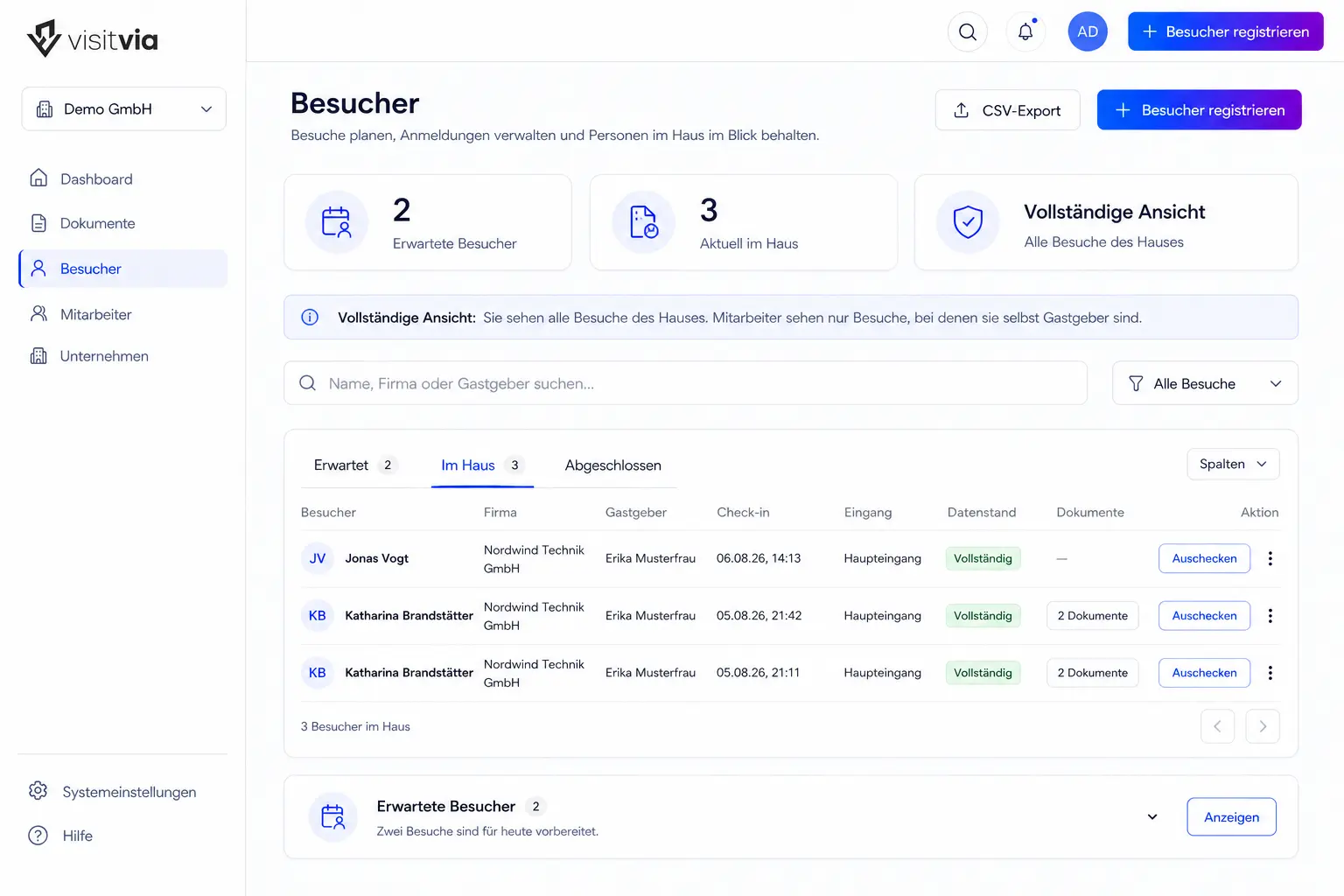
The visitor checks in at the terminal, on site or in advance via an invitation link. No app, no account, no waiting at the gate.
The register shows who was there, when and with which host — searchable by date and time, with arrival and check-out.
You set the retention: the log stays at least as long as your standard requires — and then disappears by itself according to your periods.
Drivers and contractors confirm your access and security rules with a signature; the log records which version applied.
No one can change the register afterwards: every entry is firmly chained to the previous one. Not your administrators, and not us.
FAQ
What security managers ask first
Is visitvia TAPA-certified?
No — TAPA certifies sites and their security measures, not software. visitvia provides the part that concerns visitors: registration, rules and a log with the retention you need. The documents for it are available on request.
Does visitvia check visitors' ID?
visitvia records the visitor's details and logs the visit. The visual check of the photo ID at the gate stays your process — visitvia documents it; it's not an ID scanner and not a barrier.
How visitvia establishes tamper-proofing, tenant separation and retention periods in technical terms is on the Security page — written for your information-security and data-protection officers.
Show it to your security manager before the next assessment.
Register, rules and retention periods to click through — free, no credit-card details.